

1
Sign up
Go to app.enclave.ai and sign up with your work email. If your organization uses SSO, you’re redirected automatically.
2
Connect your code and cloud
A new organization starts in a conversation called Getting started. Tell Enclave where your code lives and where it runs, then click Connect on each card it shows you.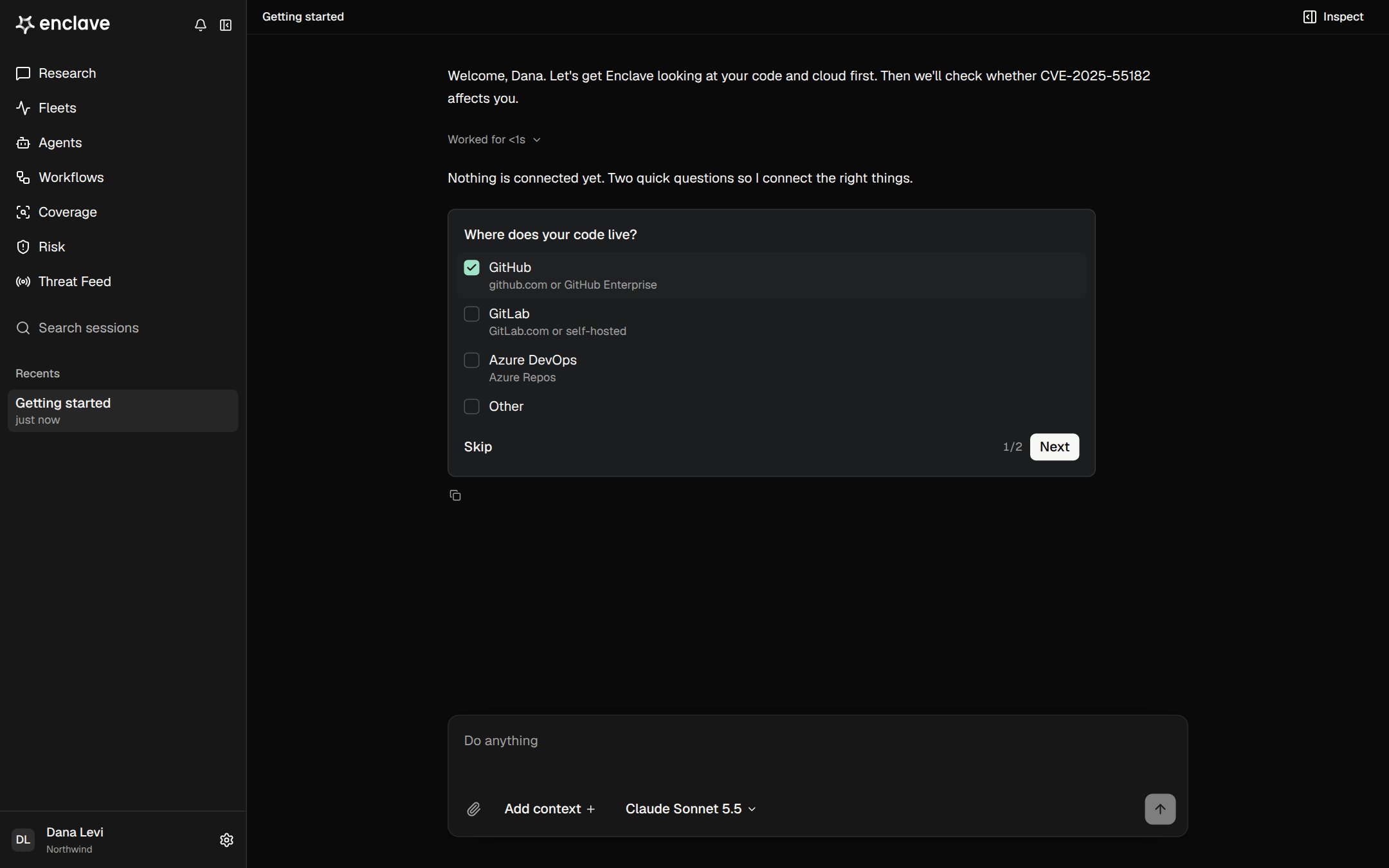
3
Ask your first question
When setup is done, Enclave offers a first task. You can also ask your own question in Research, for example: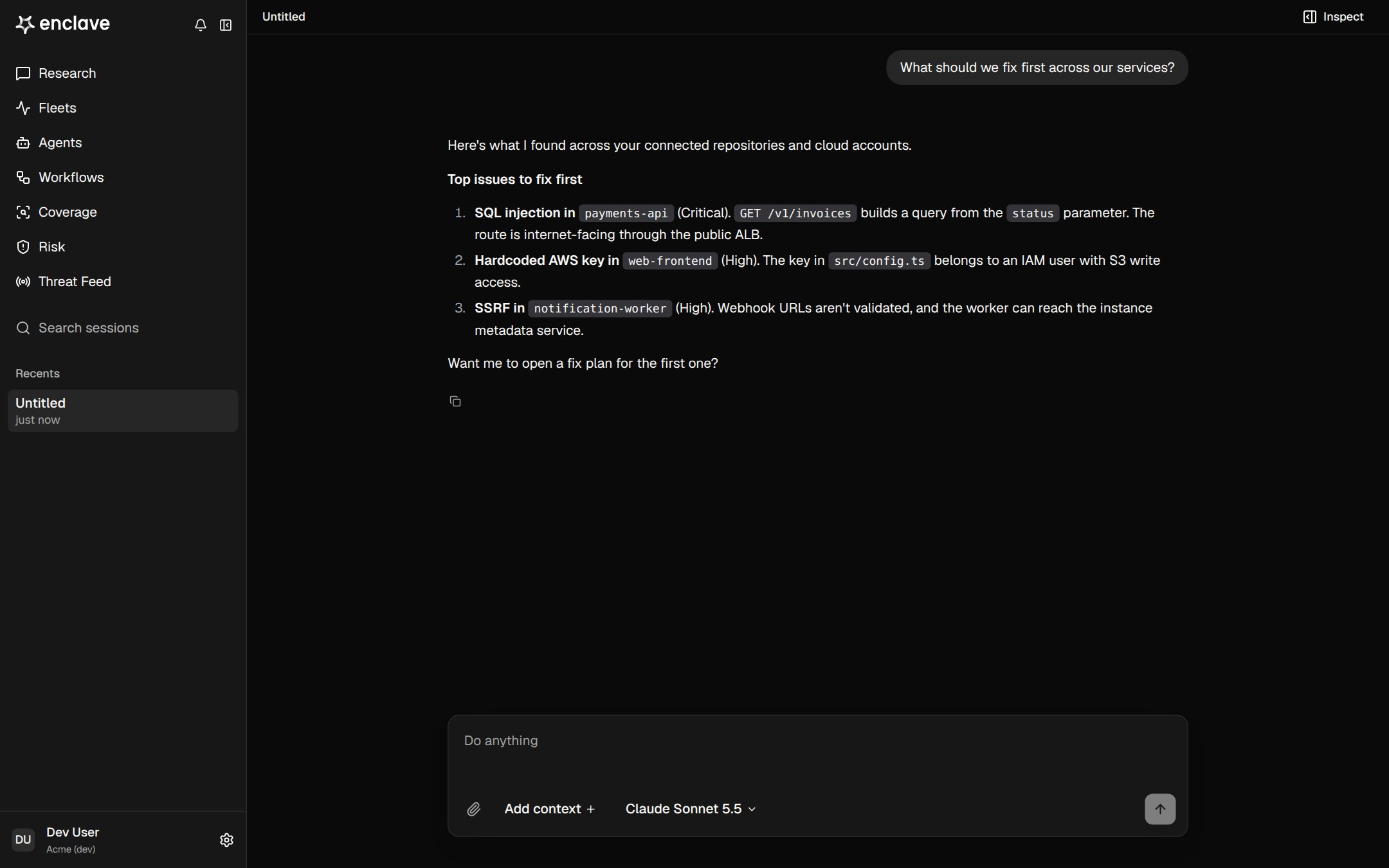
What are the most important security issues to fix first?Which of our services are exposed to the internet?Are we affected by CVE-2026-109619?
4
Review your findings
Open Risk to see what Enclave found. Each finding shows what’s wrong, where it is, and whether an attacker can reach it. See Findings and triage.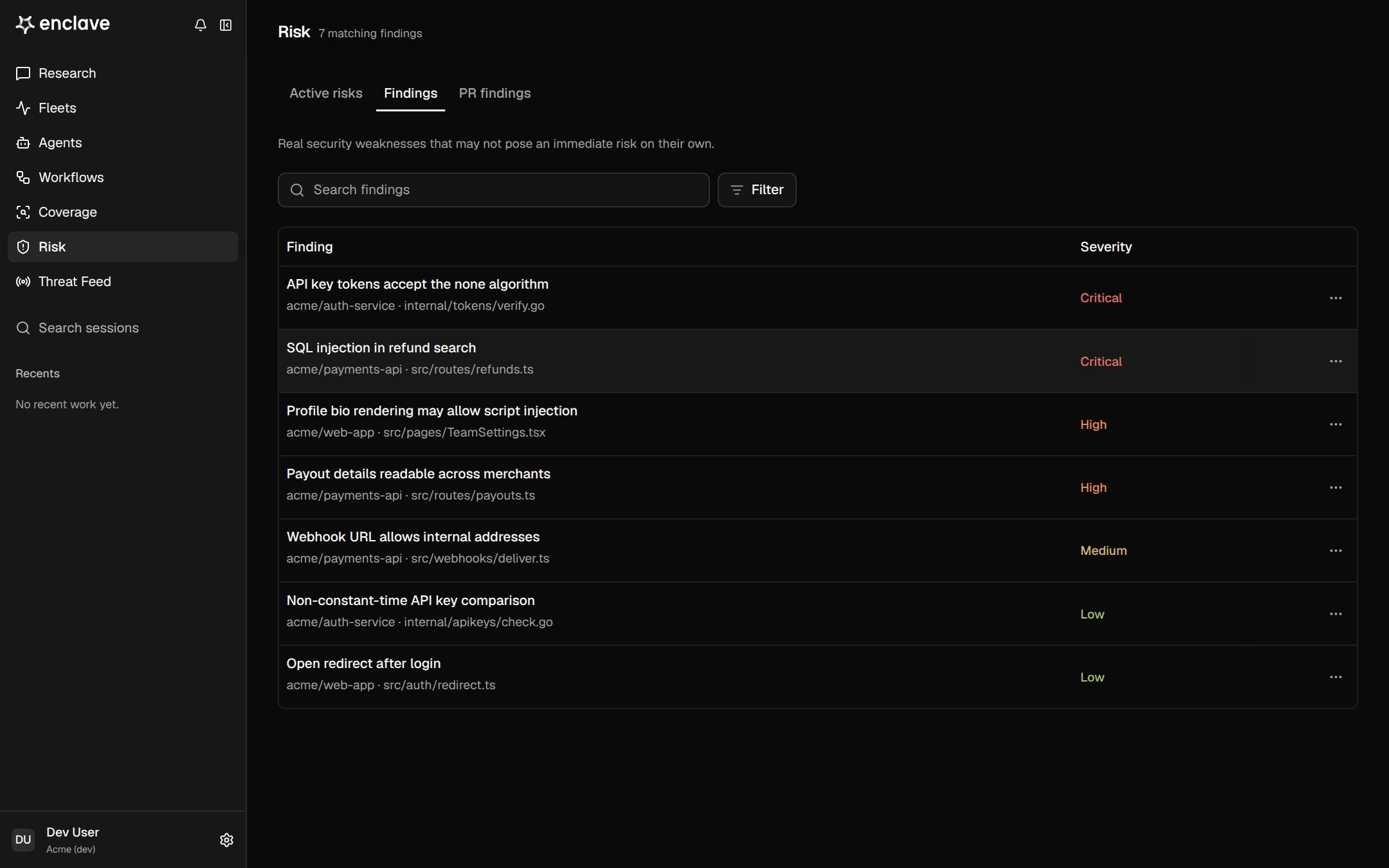
Next steps
Asking good questions
Get precise answers from Research.
Workflows
Automate analysis on events or a schedule.
Threat Feed
Check new CVEs against your environment.
Coverage
See everything Enclave can see.
Stuck? Email support@enclave.ai.