

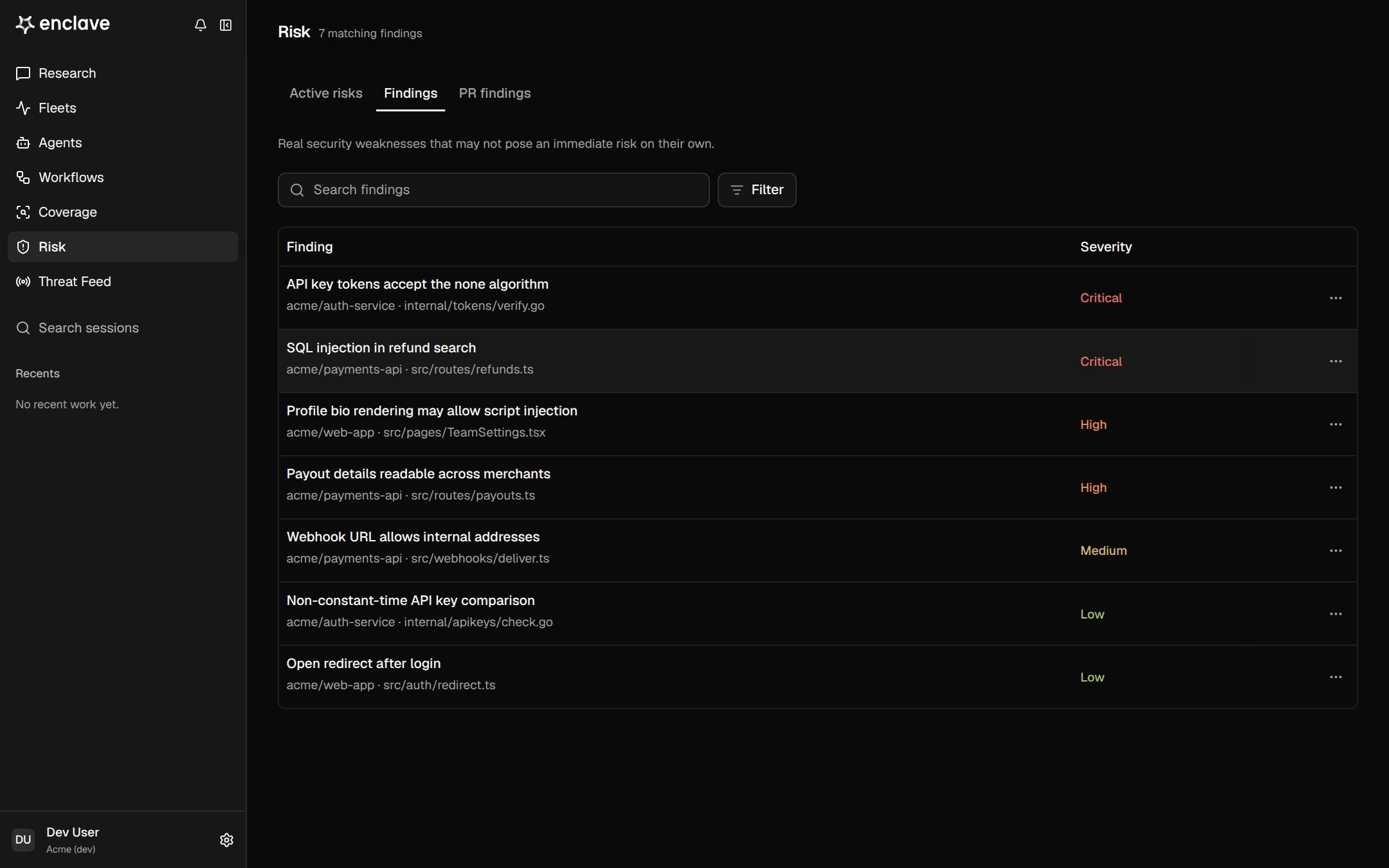
How a finding is confirmed
Before a finding shows as confirmed, Enclave:- Deduplicates it against your existing findings.
- Verifies it with an independent agent that reads the code beyond the reported files.
- Assesses exploitability against your environment, to see whether an attacker can reach it.
The Risk page
Filter by State, Severity, or Exploitability, or search by text. Filters are saved in the URL, so you can share a view.
What a finding contains
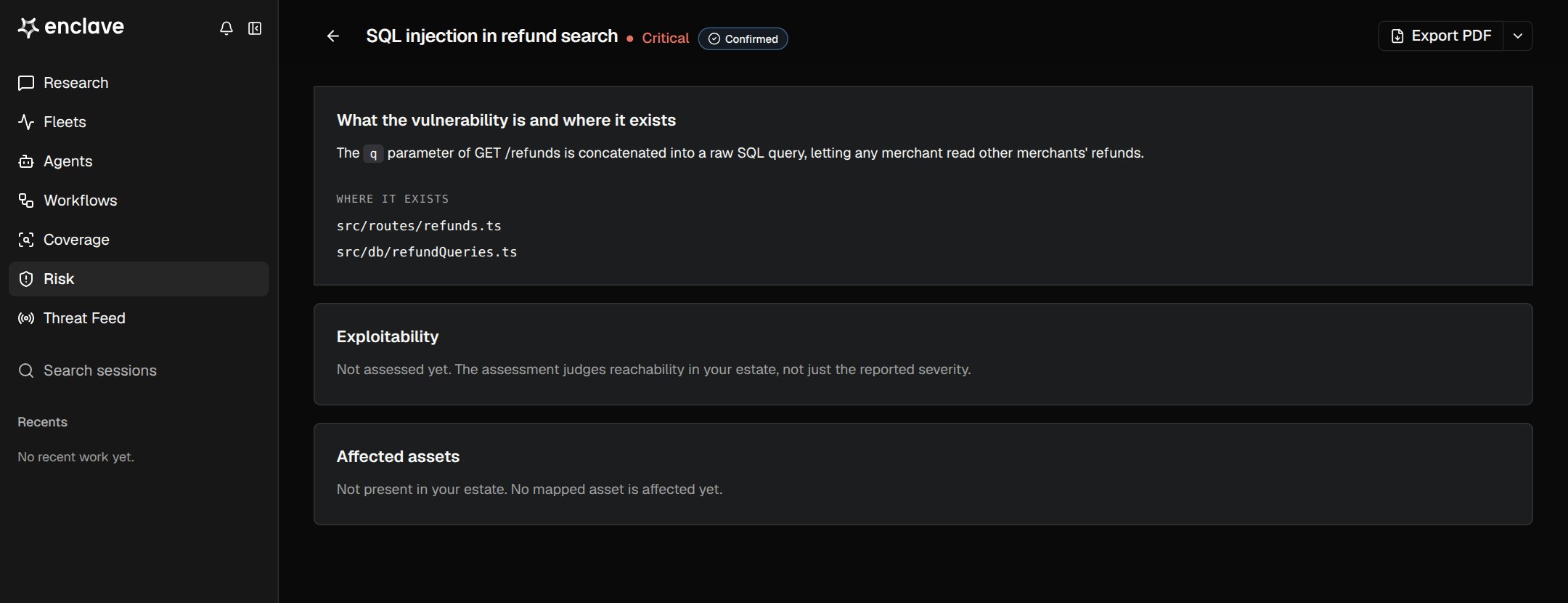
- Summary: what the flaw is, where it is, and what an attacker gains.
- Proof of concept: how it was demonstrated, so you can reproduce it.
- Attack path: the chain from entry point to the flaw, when exploitability is confirmed.
- Exploitability: whether the flaw is reachable in your environment, and why.
- Affected assets: the services and cloud resources involved.
Exploitability
Severity
Severity can change when Enclave learns more about where the code runs.
Statuses
To change a status, open a row’s ⋯ menu, or click the status on the finding’s page. Every change is recorded with who made it.
Triage from Research
Ask Research to work your queue in plain language, for example:Dismiss every low-severity finding in legacy-adminMark the three SSRF findings in payments-api as resolvedUpdate the proof of concept for this finding with the steps we just ran
A weekly routine
- Open Active risks and start with Critical and High.
- Mark what isn’t real Inactive, and what you won’t fix Dismissed.
- Hand the rest to the owning team, and mark them Resolved when the fix ships.
- Ask Research:
Which findings still need evidence, and what would verify them?