

$PAGERDUTY_API_KEY. Research never sees the value.
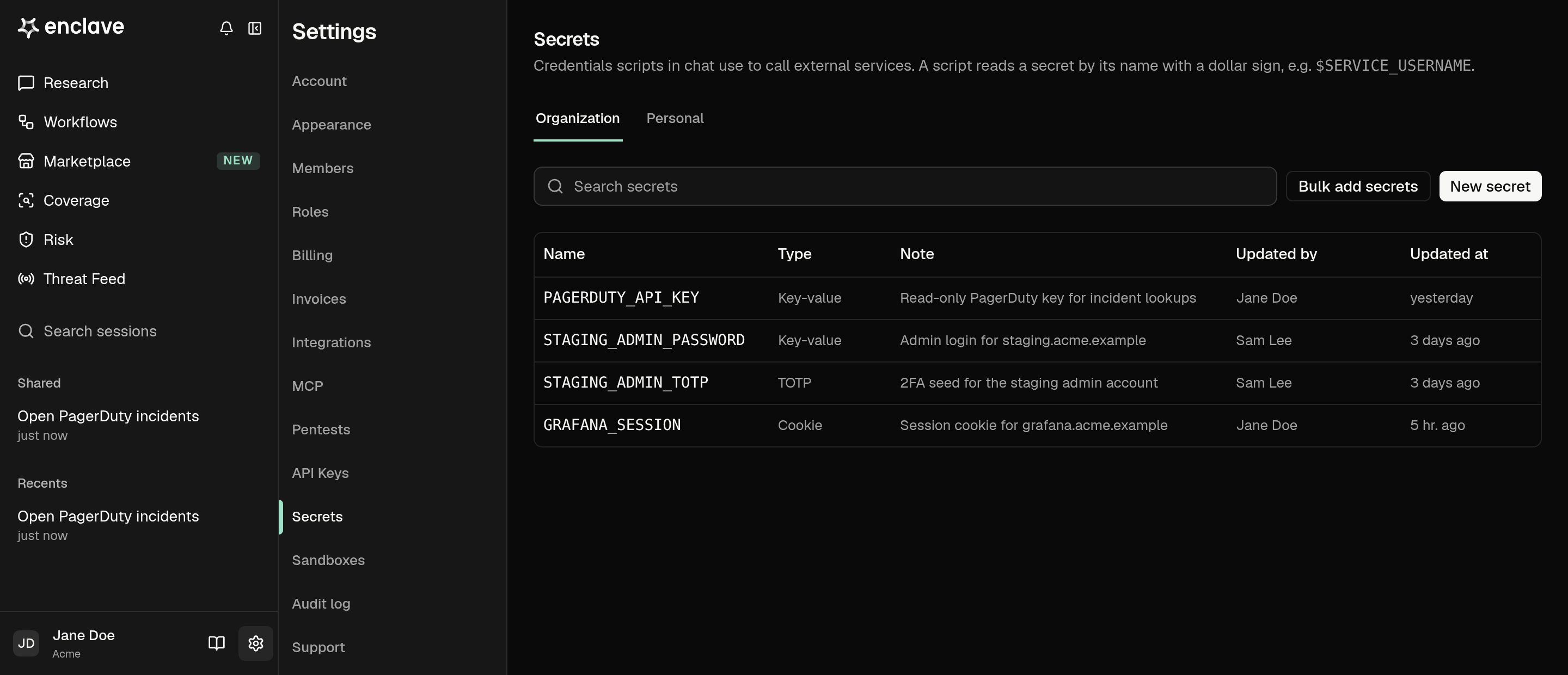
Add a secret
- Open Settings → Secrets. Pick the Organization or Personal tab and click New secret.
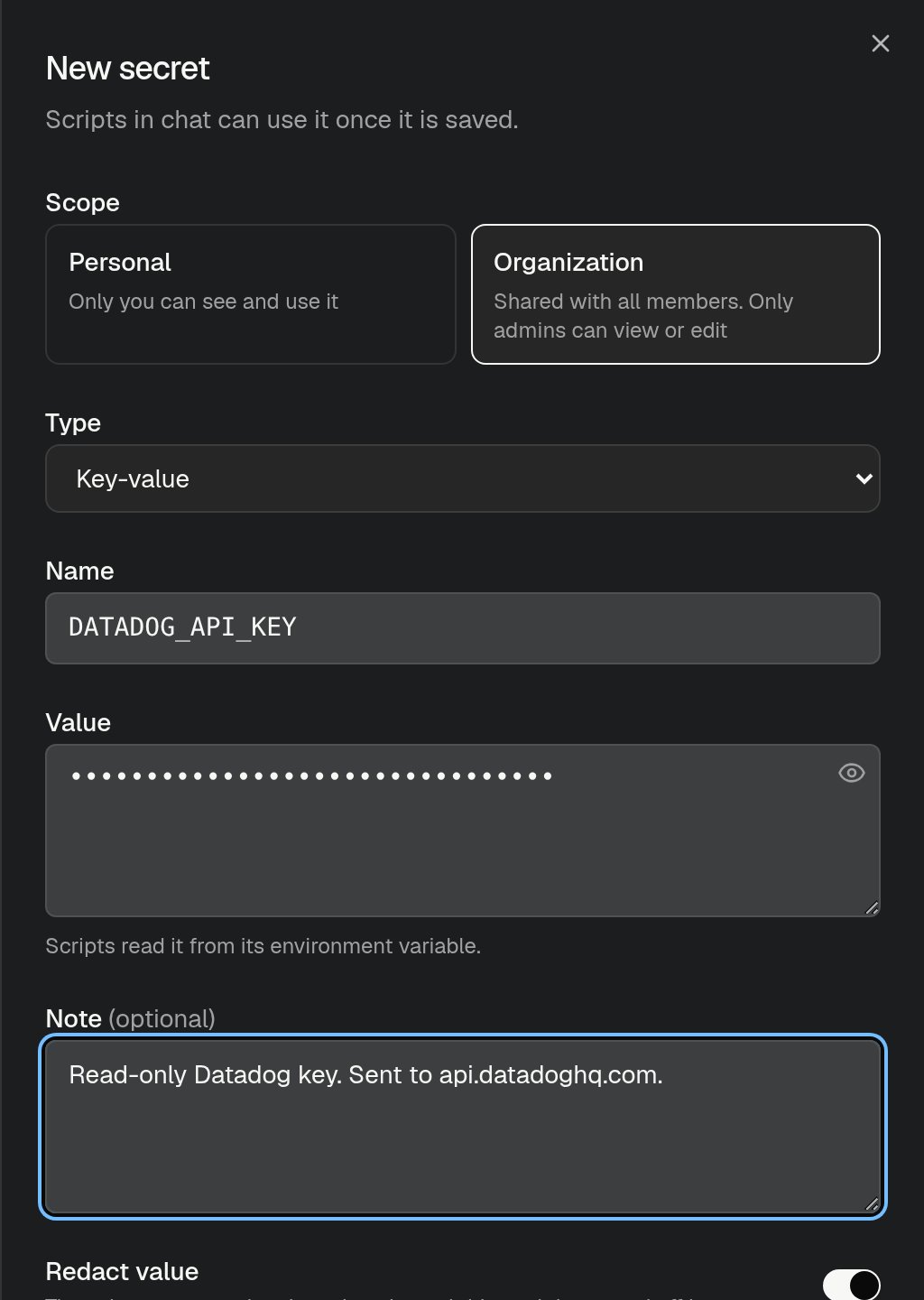
- Enter a Name in uppercase letters, digits, and underscores, such as
DATADOG_API_KEY. Scripts use this name. - Paste the Value. Most credentials are Key-value. For a two-factor code, choose TOTP and paste the setup seed, and scripts generate the current code from it.
- Add a Note that says what the secret is for and which host it’s sent to. Research reads the note to pick the right secret.
- Click Create secret.
NAME=value per line, as in a .env file.
Let Research ask for a secret
When Research needs a credential you haven’t saved, it shows a card in the chat. Paste the value and click Save secret. The value goes straight to Secrets, not into the chat. Research can use it from its next command and in future sessions.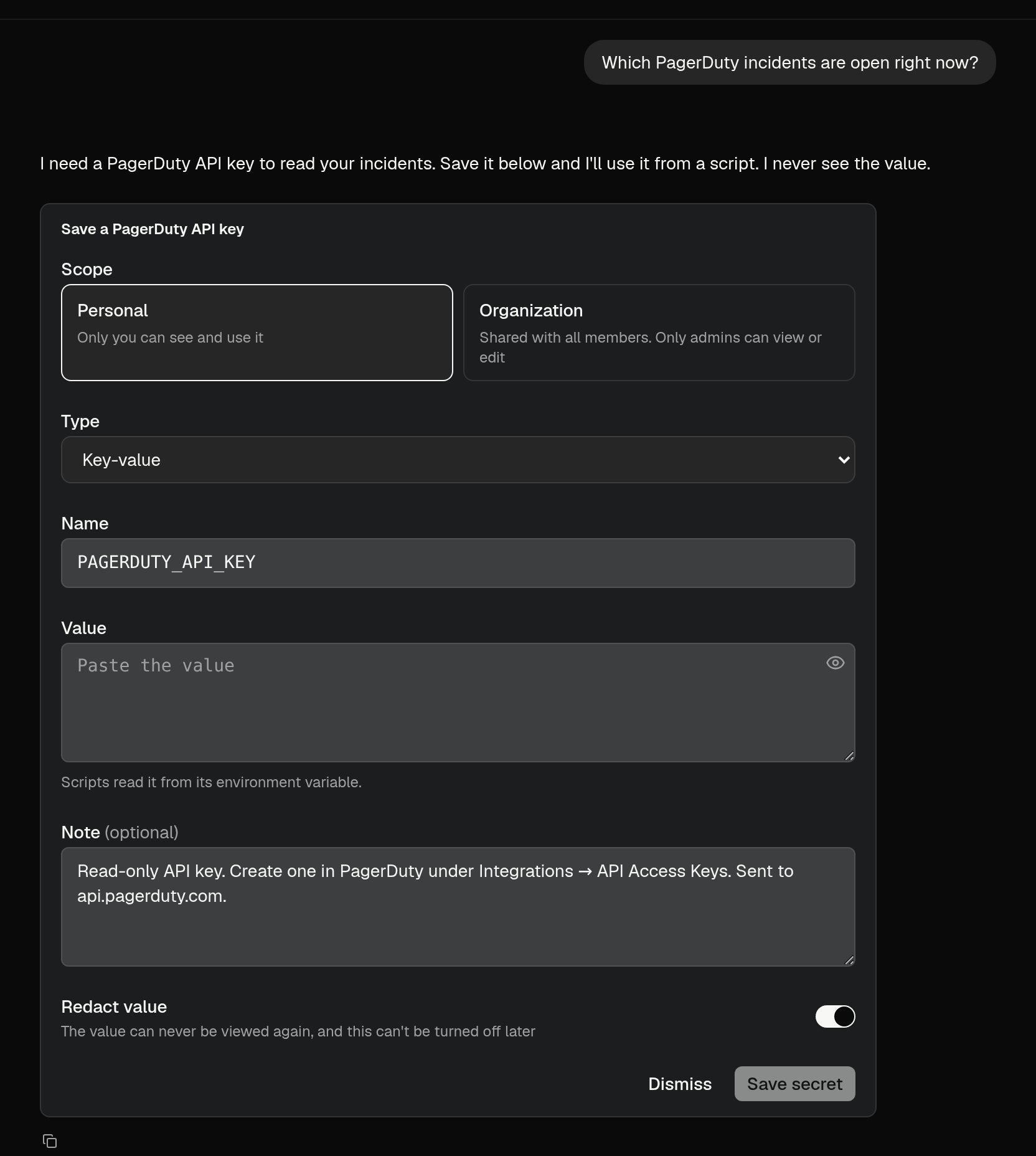
Who can use a secret
- Organization: works in every member’s Research sessions and in workflow runs. Only Owner and Admin can add, edit, or delete it. Members see its name and note, but not its value.
- Personal: works only in your own Research sessions. Anyone can add one.
Edit or delete a secret
Click a secret in the list to replace its value, change its note, or delete it. Scripts that use a deleted secret stop working.Research sends a secret only to the service’s official API host or to a host you name. It never prints a secret’s value, even if you ask.