Who can manage skills
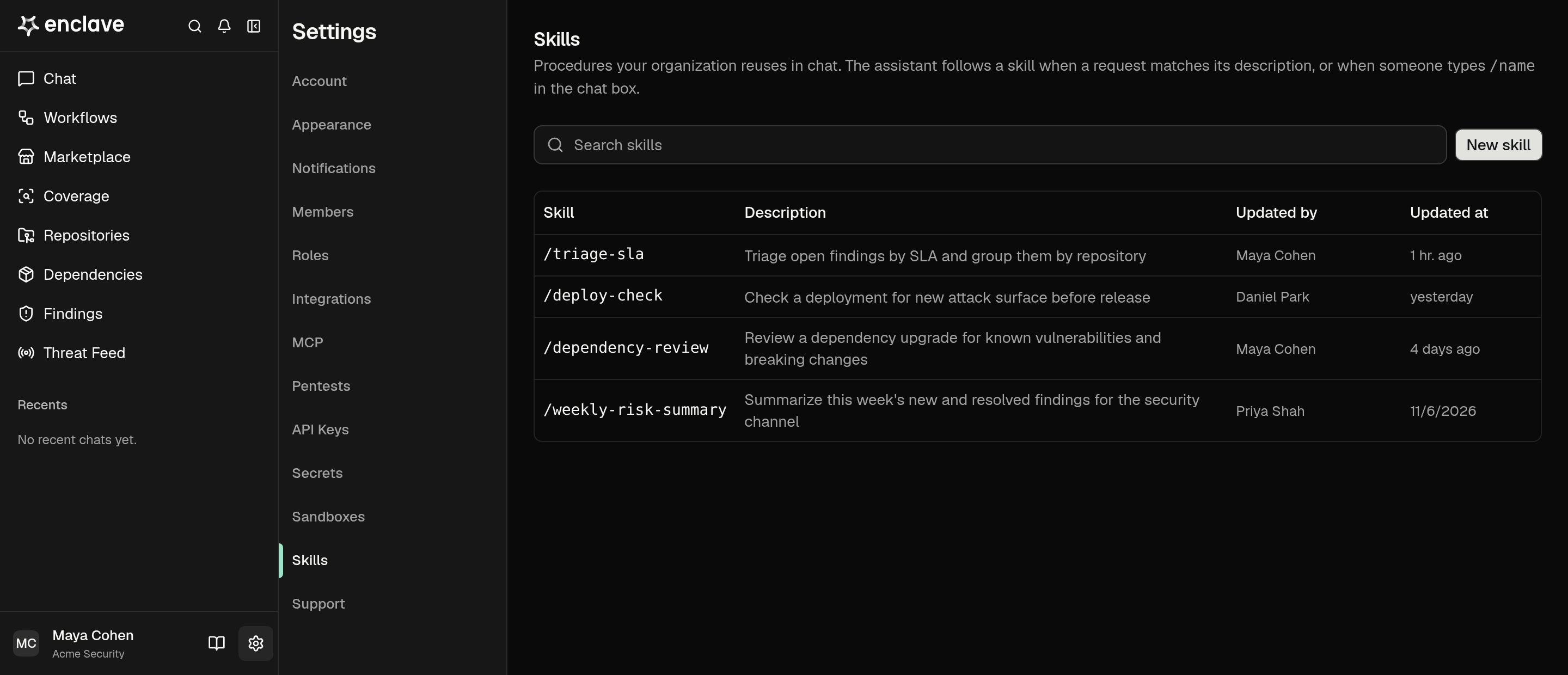
Owner and Admin can add, edit, and delete skills. So can a custom role with Skill · Write. Everyone else sees the list in Settings → Skills and can use any skill.Add a skill
- Open Settings → Skills and click New skill.
- Enter a Name, such as
triage-sla. Use lowercase letters, digits, dashes, and underscores. People type/triage-slato run it. A skill can’t reuse a built-in command’s name. - Enter a Description that says when to use the skill. Enclave reads it to decide when a request matches.
- Write the Instructions: the steps Enclave follows.
$ARGUMENTSis replaced by what someone types after the name. Without it, that text is added at the end. - Click Create skill.
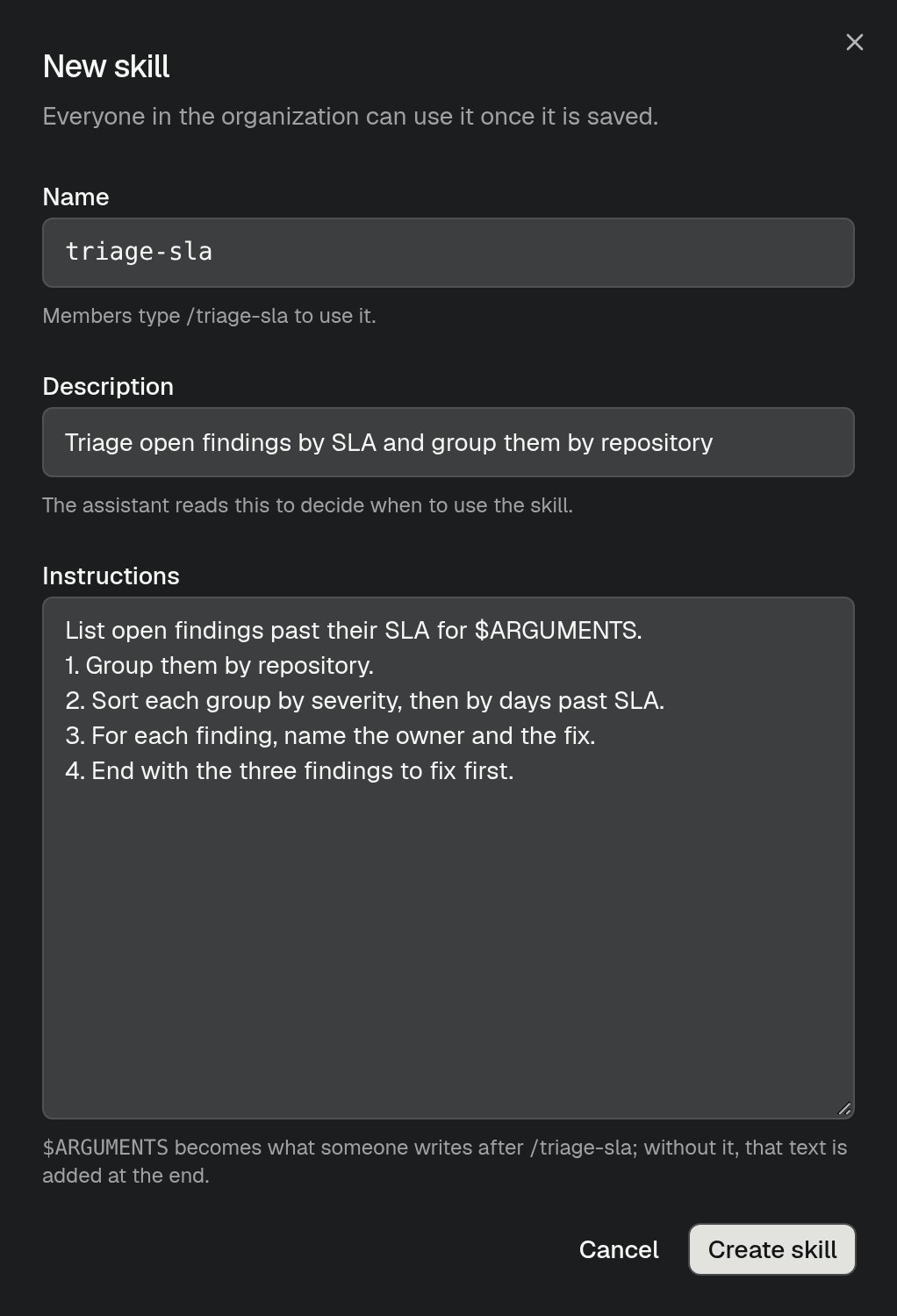
List open findings past their SLA for $ARGUMENTS, the message /triage-sla payments repositories lists the findings for the payments repositories.
Use a skill
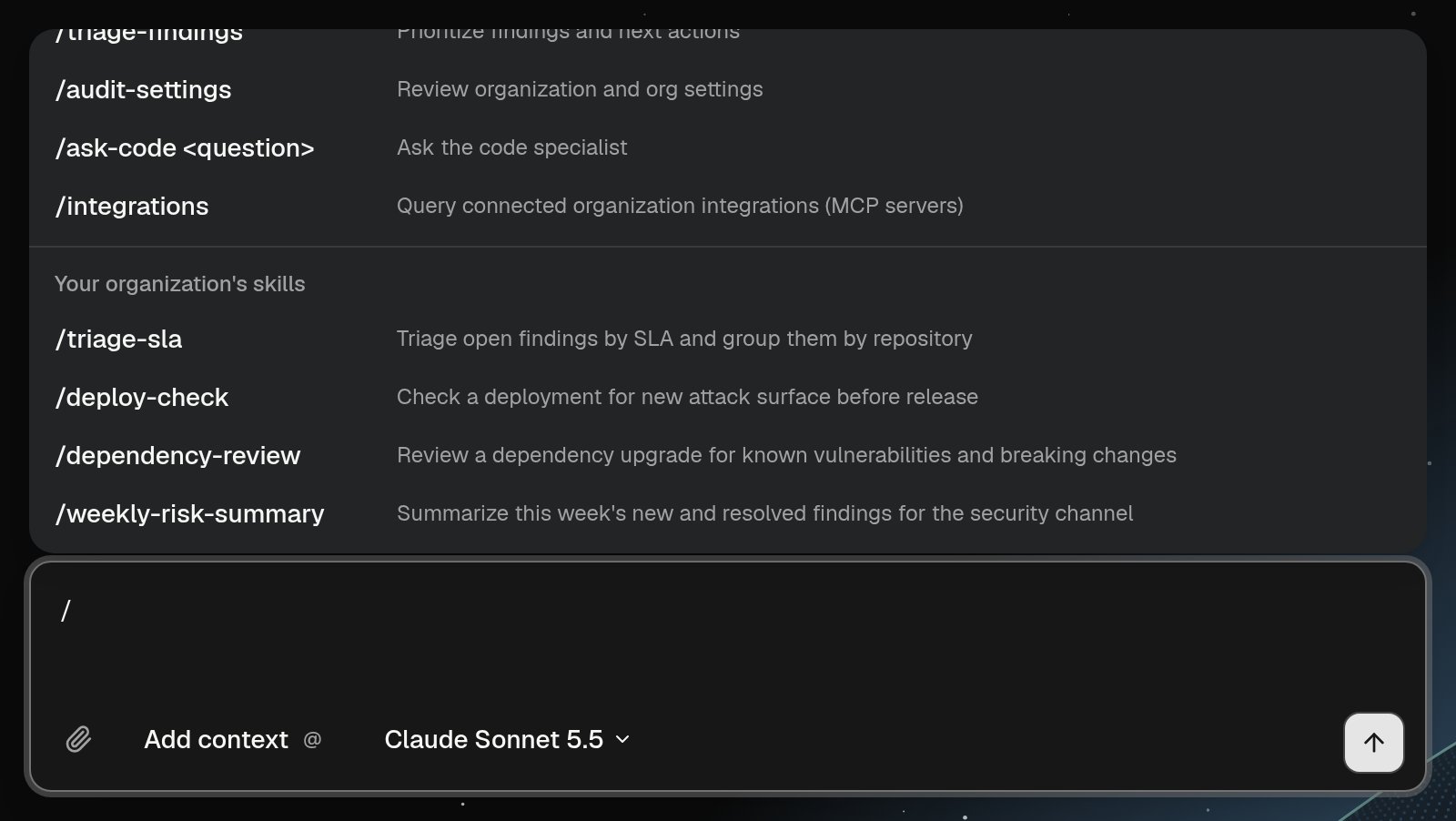
- By name: type
/in the Research chat box. Your organization’s skills appear after the built-in slash commands. Pick one, add any arguments, and send. In Slack, write@Enclave /triage-sla payments repositories. - By description: ask in your own words. When a request matches a skill’s description, Enclave follows that skill.